Take orders on your own site and app, straight into your POS. Bring guests back with
loyalty, email, text and social. Run it all from one dashboard. Here is what each product does,
what you have to do, and what it costs.
No customer surchargeNo per-order feesMonth-to-monthNothing to pay for 30 days
Every order lands in your POS like any other ticket — priced and taxed by your system,
printed in your kitchen. No extra tablet to watch.
Online ordering
$129 /mo
Keep the guest and the margin: commission-free orders on your own site, straight into your POS.
Your ordering page, on your own domain.
What it does
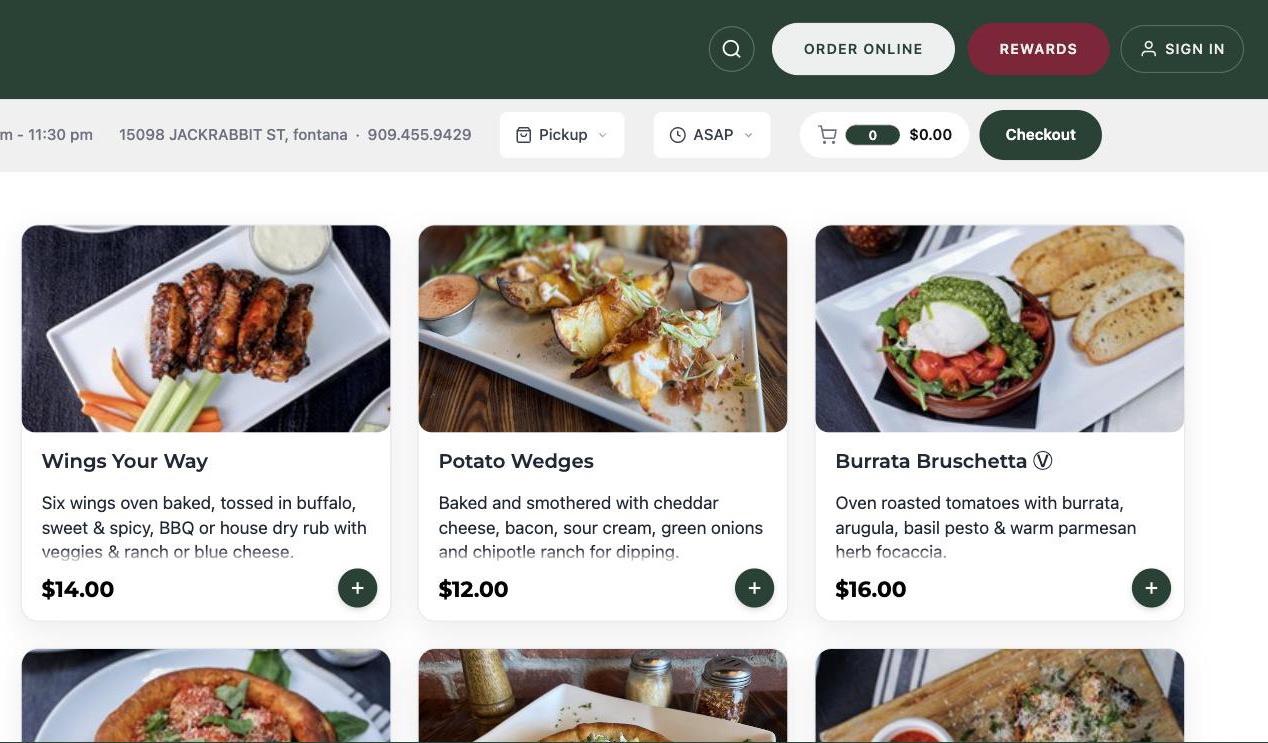
Pickup and delivery ordering, built for phones, on your own website or domain
Orders go straight into your POS. On SkyTab: menu sync from Lighthouse, orders into the POS,
and payments on your existing Shift4 account
Also integrated with Focus POS, POSitouch, Point of Success, SpeedLine, Reflection, Toast and
MICROS Simphony — see integrations
Apple Pay and Google Pay at checkout
What you do
Send us your menu (or let us pull it from your POS) and point your "Order online" button at it.
We build the menu and set it up with you. No surcharge is added to your guests' orders and we
take nothing per order.
Restaurant website
$49 /mo
A real website with ordering built in, so the guest who finds you can order in two taps.
What it does
A hosted site with your menu, hours, story and photos, with online ordering built in and your
own domain. Already happy with your website? We can put ordering inside it instead.
What you do
Give us your logo, photos and the domain you want to use. We build the site; you edit it later
from the Command Center.
One website for the whole brand, and every guest orders from the right location.
What it does
One brand site on your domain, with a Locations page built automatically: each store's
address, phone, "Open now" status and an Order button
Each location's menu shows inside the same branded site, with a "Change location" link
Each location keeps its own cart, menu and POS, so orders always reach the right kitchen
Brand-wide email and text campaigns go out from one place, with results broken down by store
What you do
Tell us which locations belong to the brand and which domain to use. One owner login can manage
the brand and every store, and switch between them in the Command Center.
AppLab branded app iOS + Android
$99 /mo
Your own app on your regulars' home screens — under your name, not a marketplace's.
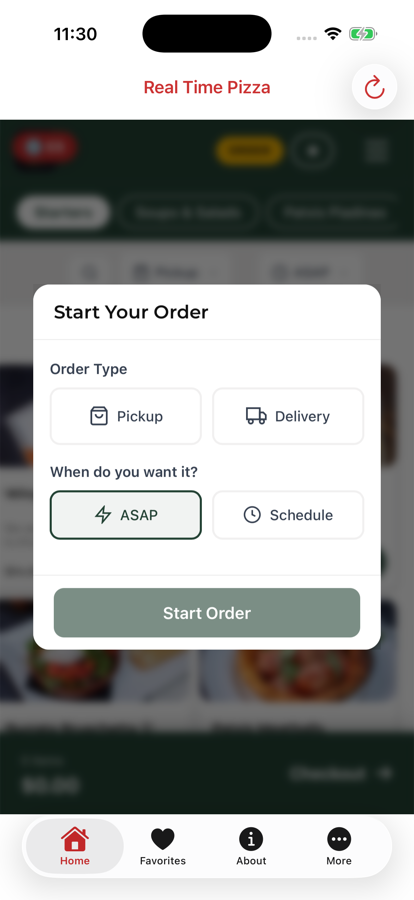
Your own app on the App Store and Google Play.
What it does
Native iOS and Android ordering apps published under your restaurant's name and icon
Menu stays in sync with your POS in real time; fast reordering
Guests see their loyalty balance inside the app
Order-status notifications come with the app. Marketing push campaigns are a separate
add-on (below)
Available in the Shift4 Apps Marketplace
What you do
Approve your app name, icon and store listing. We build and publish to the App Store and
Google Play.
DoorDash, Uber Eats & Grubhub in your POS
$129 /mo
Stop re-keying marketplace tickets: every delivery-app order prints like one of your own.
What it does
Your menu is published to DoorDash, Uber Eats and Grubhub from the menu we already manage
Their orders come into your POS in the same ticket flow as your own online orders
Busy night? Pause online ordering and the marketplaces from the Command Center
What you do
Keep your existing marketplace accounts. We connect them to your menu and POS and check the
first orders with you.
Delivery drivers for your own orders
Per delivery — ask us
Offer delivery on your own site without hiring drivers.
What it does
A DoorDash Drive courier is dispatched automatically for your own online delivery orders,
at the promised time
First Delivery covers markets DoorDash Drive does not
Prefer your own drivers? Set delivery zones by map area, radius or zip code, each with its own fee
What you do
Choose your delivery area and fees. When a courier is used, the delivery is billed per order
— we'll walk you through the numbers for your area.
Google listing connection
Contact us
Make the "Order online" button on Google send guests to you, not to a marketplace.
Connect your Google listing in one click.
What it does
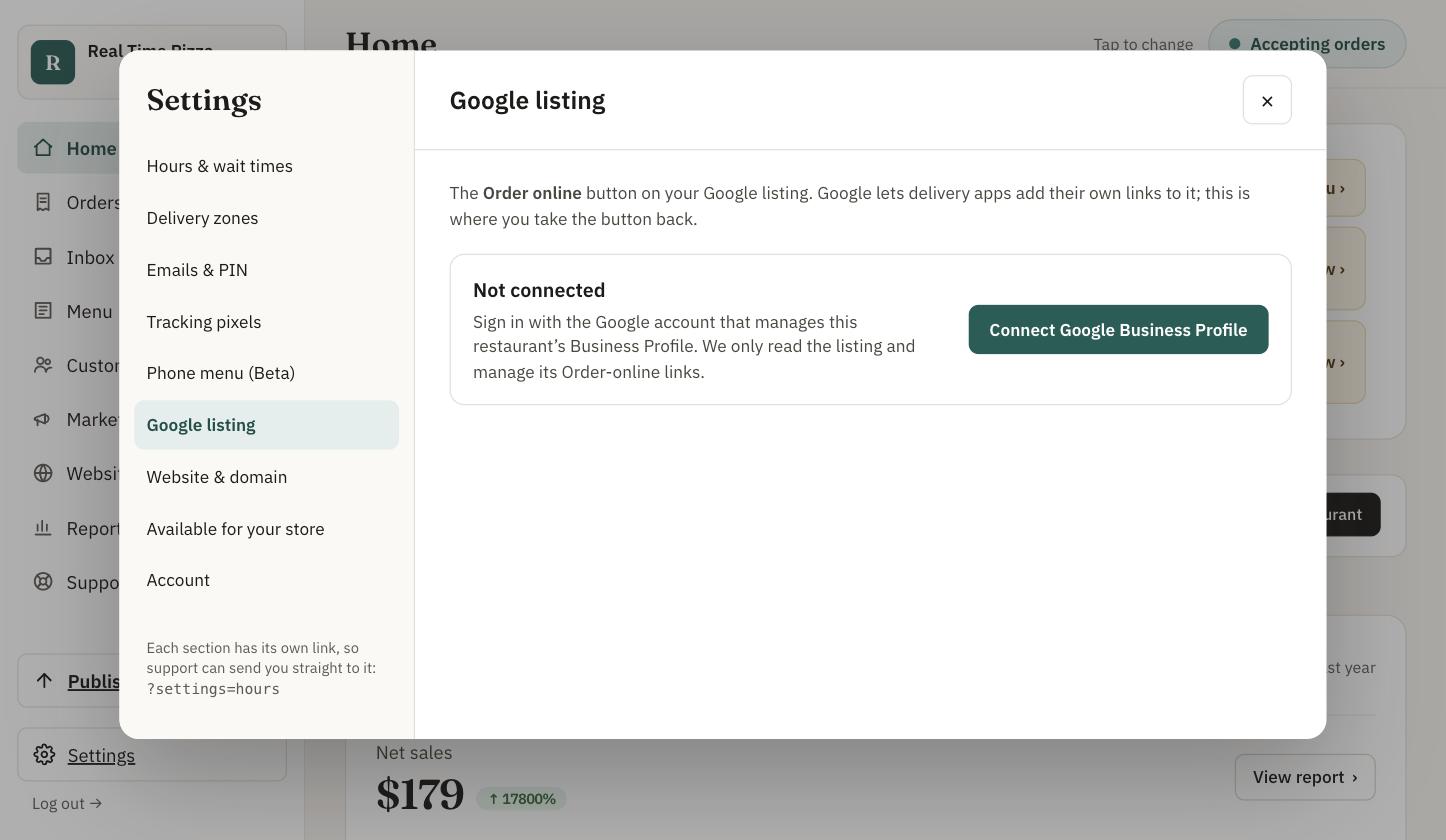
Connects your Google Business Profile and makes your own ordering the preferred
"Order online" link for pickup and delivery
Shows which other ordering providers are on your listing and takes you straight to the
Google screen where you can hide them or request removal
Re-checks your listing every night so a change doesn't go unnoticed
Your Google reviews in the Command Center inbox, with a suggested reply drafted for you
and low-star reviews flagged
What you do
In the Command Center: Settings → Google listing → Connect, then sign in with the
Google account that manages your listing and pick each location. Hiding another provider is
your click in Google — we take you to the right place.
Call Concierge phone menu Beta
Contact us
Turn "can I place an order?" calls into online orders while your staff keep cooking.
Callers get your ordering link by text instead of a busy line.
What it does
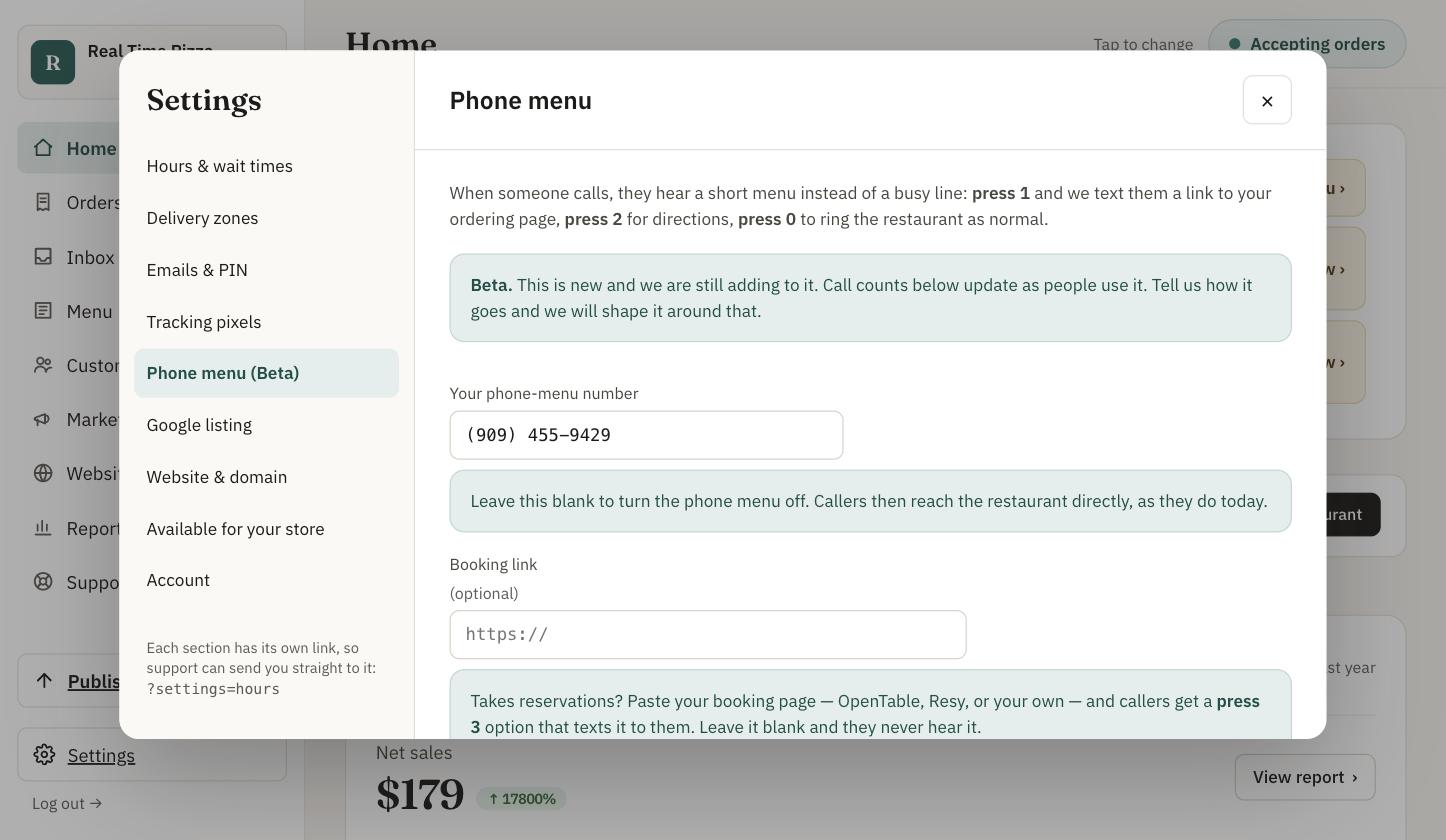
Callers hear your hours (“We are open until 10 PM”), then a short keypad menu:
1 — we text them your online ordering link
2 — we text them directions
3 — your reservation link, if you have one
0 — rings the restaurant
What you do
Pick a local number in the Command Center (Settings → Phone menu). It is live as soon as
you choose it, and the Command Center shows how many calls it has handled.
Bring guests back
Turn first-time guests into regulars
Every online order and loyalty sign-up builds a customer list that belongs to you. These tools
put it to work. Nothing goes out without your say-so unless you choose otherwise.
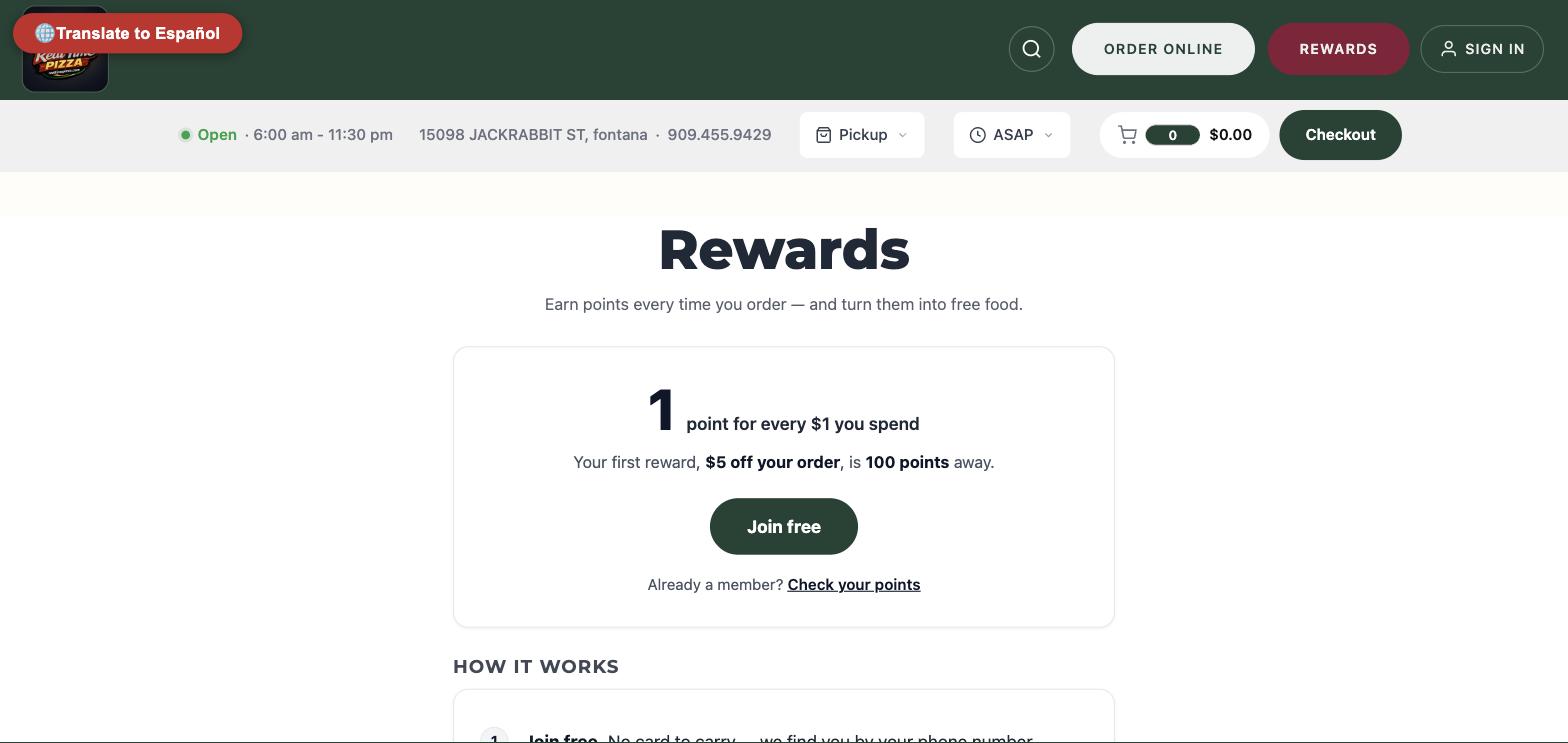
Loyalty & punch cards
$49 /mo per location
Give regulars a reason to choose you again — at the counter and online, on one balance.
Guests join with their phone number. No card to carry.
What it does
Guests join with a phone number — no card, no app required
One points balance at the register and online. Certified Shift4 loyalty provider on SkyTab
Rewards you design: dollars off, percent off, a free item, with rules for minimum spend,
days and times
Punch cards: “buy 9, get one free” visit cards, or collect-them-all cards built
from your own menu items, with an automatic reward when the card is full
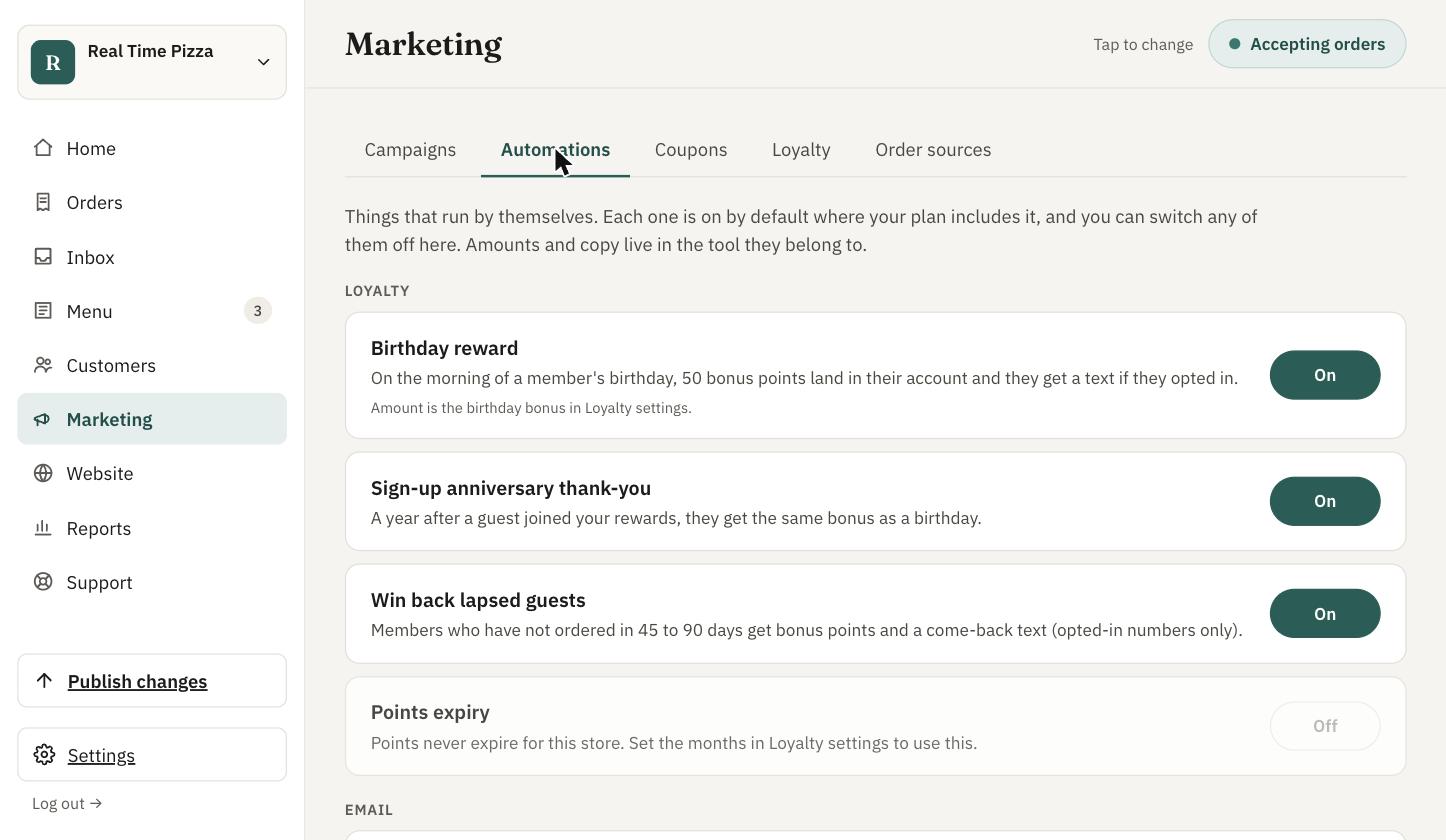
Automatic birthday and join-anniversary bonuses, a “we miss you” bonus for guests
who have gone quiet, and optional points expiry
What you do
Choose your rewards and cards in the Command Center and switch the automations on or off.
Your staff look a guest up by phone number at the register.
More on loyalty.
Email marketing
$49 /mo
Bring back lapsed regulars with emails that write themselves — and see the orders they bring in.
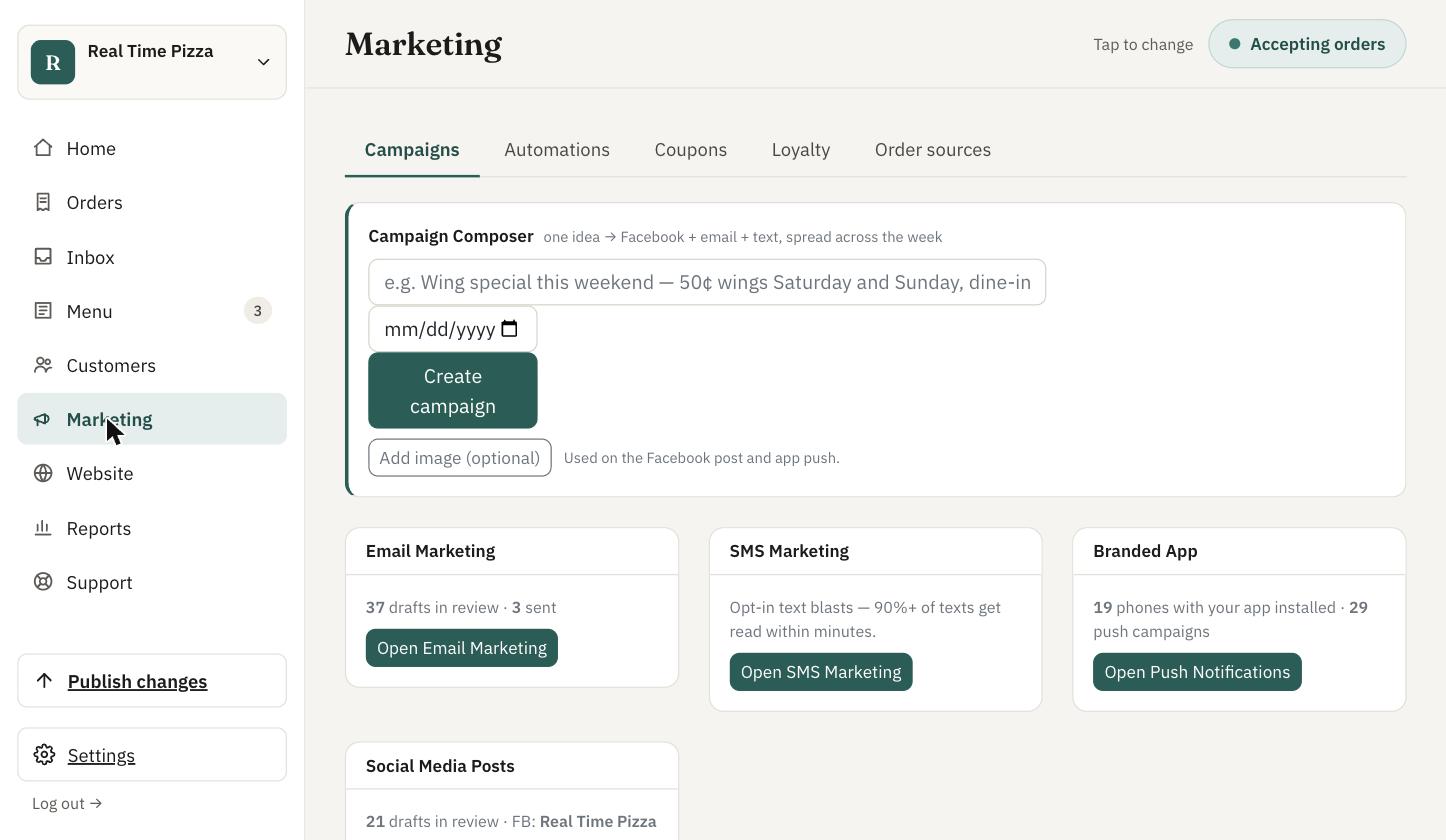
One idea becomes an email, a text and a post.
What it does
Drafts campaigns for you with AI, in your brand's look, ahead of holidays and occasions
Send to everyone, to recent guests, or to guests who haven't ordered in a while
For a multi-location brand: one brand-wide campaign, and each guest's button opens the
location they usually order from
Shows opens, clicks and the orders each campaign brought in, by location
Unsubscribes and sending frequency are handled for you
What you do
Review the draft — we email you when one is ready — edit anything you like, then
send now, schedule it, or send yourself a test. If you prefer, let occasion emails send on
their own.
Text message marketing
$49 /mo
Reach your regulars where they actually look — with texts they asked for.
What it does
Texts only go to guests who opted in. The opt-in box at checkout starts unchecked, with
the required disclosure next to it
STOP, HELP and START replies are handled automatically
Preview on a phone mock-up, see the message length and the audience before you send
Target everyone, recent guests, or guests you haven't seen in a while
What you do
Write a message or start from an AI draft, approve it and send or schedule. Your list grows
as guests opt in at checkout and through loyalty — texts are never sent to guests who
only gave a number for their order.
Facebook & Instagram posts
$49 /mo
Keep your pages active without finding time to write posts.
What it does
Drafts posts about your specials and menu items, and publishes them to your Facebook Page and
Instagram account in one click.
What you do
Connect your Facebook Page (and Instagram) once from the Command Center. Then review each
draft, edit it if you want, and publish.
Push notifications Add-on to the app
+$49 /mo
Send an offer to every phone that has your app — no per-message cost, no spam folder.
What it does
Compose and schedule push campaigns to guests who installed your branded app, with reusable
templates. Requires the AppLab app ($99/mo); the push add-on brings it to $148/mo.
What you do
Write the message, choose when it goes out, and send. Order-status notifications already
come with the app at no extra cost.
Marketing autopilot
Works with the channels you have
Describe the promotion once; get a ready-to-approve plan across every channel.
Set it once. It runs every day.
What it does
Write one short brief (“2-for-1 wings this Friday”) and get a staggered plan:
a Facebook post first, an email the next day, a text a couple of days later
Channels you don't have switched on are skipped and noted
Loyalty automations run in the background: birthdays, anniversaries and win-back offers
What you do
Approve the drafts. Each channel has its own switch in the Command Center: drafts for your
review, or off.
Run the business
See what's working, from one login
One place for every location, every channel and every number.
Command Center
Your dashboard — it comes with your account
Know how today compares to last year, and fix things yourself without calling anyone.
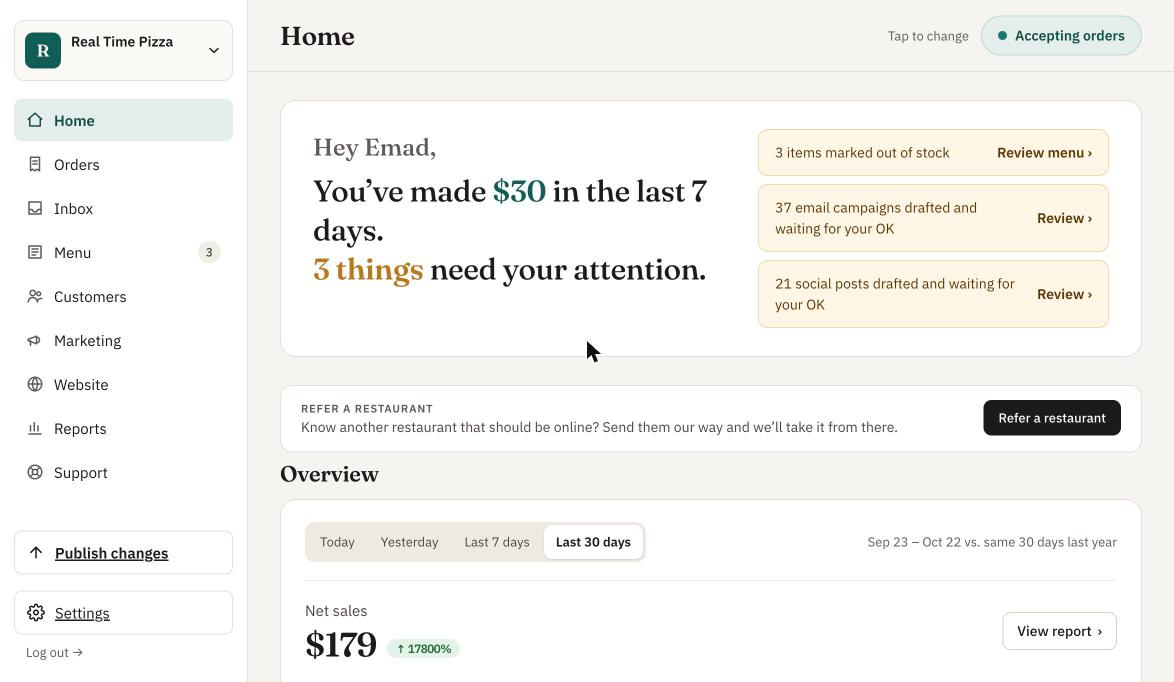
Sales and anything that needs you, on one screen.
What it does
Home: sales and orders compared with the same period last year, and anything that needs
your attention
Orders, customers and an inbox for Google reviews
Edit your menu, photos and website. On a POS-connected store, prices stay controlled by the POS
Accepting / Busy / Paused status for your online ordering
Every marketing tool on this page is managed here
What you do
Sign in at app.realtimeordering.com. Own more
than one store? Switch between them, or the whole brand, from the top of the page.
Daily & weekly sales recaps
Turn on in your settings
Yesterday's numbers in your inbox before you open.
What it does
An email at 6 AM your local time with the business day that just closed: sales, orders and
your top items. Every Monday, a weekly recap of the last seven days. A day with no orders still
gets an email, so a problem never goes unnoticed.
What you do
Turn on the daily recap, the weekly recap, or both, for each location. They go to the store's
notification email.
Also available
In the restaurant
Self-order kiosk
Guests order and pay at a kiosk in your lobby. Payment options depend on your POS and processor
— ask us what's available for your setup.
$49 /mo per device
Pay at the Table
Handheld tableside ordering and payment for full-service restaurants. Runs on Pax handhelds or
your own Android phones and tablets (setup guide).
$49 /mo per device
Order at the table
Guests scan a QR code at the table and order from their own phone.
Contact us
Plans
Bundles cost less than buying each piece
Buy any product on its own at the prices above, or pick a bundle. Full details on the
pricing page.
App Package + push notifications, Facebook & Instagram, text marketing, and DoorDash / Uber Eats / Grubhub in your POS
More than one location? On App Package or Growth, your website, app and
marketing are built once for the brand, so each additional location is $199/mo on the same bill
— plus $99/mo for each additional location that wants DoorDash, Uber Eats and Grubhub orders
in its POS. Brand-wide email, text and loyalty need every location on Storefront or above.
See it with your own menu
Book 30 minutes and we'll walk through the products that matter for your restaurant —
using your menu, your POS and your locations. No setup fee, month-to-month, and nothing to pay
for the first 30 days.